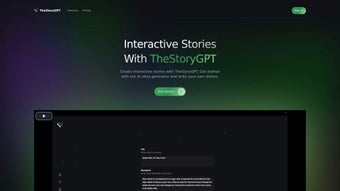

Download TheStoryGPT – Free Interactive Storytelling AI Tool
Overview
TheStoryGPT is an innovative AI‑driven writing assistant that lets creators craft interactive narratives where every reader decision reshapes the plot. Hosted entirely in the browser, this web‑based application eliminates the need for heavyweight installations while delivering a seamless experience on desktop and mobile devices. Whether you’re a novice writer testing the waters of branching fiction or a seasoned novelist looking to add a new layer of immersion, TheStoryGPT supplies a flexible canvas that adapts to any genre—fantasy, mystery, sci‑fi, or even educational choose‑your‑own‑adventure modules.
One of its standout qualities is the built‑in multi‑narrator system, which enables authors to assign distinct voices to characters or perspectives, turning text‑only stories into rich, audio‑enhanced journeys. This auditory component not only deepens engagement but also makes the platform attractive for podcast creators and educators seeking to blend reading with listening. The platform operates on a freemium model: a Free Plan grants limited story slots and premium‑quality audio, while a Paid Plan unlocks unlimited creations, advanced branching logic, and priority support.
Community features such as shared story libraries and collaborative editing further encourage writers to connect, critique, and celebrate each other's work. In short, TheStoryGPT merges cutting‑edge language models with user‑friendly design to democratize interactive storytelling, turning imagination into a dynamic, shareable experience.
Core Features that Set TheStoryGPT Apart
- AI‑Generated Plot Suggestions – Get instant branching ideas powered by GPT‑4.
- Multiple Narrators – Assign unique voice profiles to characters for immersive audio playback.
- Drag‑and‑Drop Story Map – Visualize and rearrange narrative branches with an intuitive canvas.
- Real‑Time Collaboration – Invite co‑authors to edit, comment, and test choices together.
- Choice Analytics – Track which paths readers prefer and optimize story flow.
- Cross‑Platform Publishing – Export to HTML, PDF, or embed directly on websites and learning platforms.
- Community Library – Browse, remix, or fork public stories created by other users.
- Premium Audio Engine – High‑fidelity text‑to‑speech with customizable accents and emotions.
- Version History – Revert to previous drafts or compare branching variations side‑by‑side.
- Secure Cloud Storage – All stories are encrypted at rest and in transit, protecting intellectual property.
These features are not merely a checklist; they work together to reduce the technical friction that typically hinders interactive narrative creation. For instance, the AI‑generated plot suggestions can jump‑start a writer’s brainstorming session, while the drag‑and‑drop story map makes complex branching structures visible at a glance, preventing logical dead‑ends. The multi‑narrator audio engine is especially valuable for creators who wish to produce a podcast‑style experience without hiring voice actors.
Moreover, the analytics dashboard provides concrete data about reader preferences, enabling authors to fine‑tune their stories for maximum impact. The seamless collaboration tools turn solo writing into a team sport, fostering creativity and rapid iteration. All of this is wrapped in a clean, responsive UI that feels familiar whether you access TheStoryGPT from a laptop, tablet, or smartphone.
Installation, Usage Instructions & Compatibility
Getting Started – No Download Required
Because TheStoryGPT is a web‑based platform, you don’t need to install any software on your device. Simply navigate to thestorygpt.com using a modern browser (Chrome, Edge, Firefox, Safari). The first time you load the site, you’ll be prompted to create a free account using an email address or single‑sign‑on via Google or Apple. After confirming your email, you’ll land on the dashboard where you can click “Create New Story” to launch the interactive editor.
Step‑by‑Step Workflow
- Define the Premise: Enter a brief synopsis and select a genre. The AI will suggest a starting scene.
- Build Branches: Use the visual map to add decision nodes. Each node can contain text, images, or audio.
- Assign Narrators: Choose from preset voice profiles or upload custom voice samples for each character.
- Test the Flow: Click “Preview” to simulate reader choices. Adjust branching logic on the fly.
- Publish or Export: When satisfied, hit “Publish” to share a public link or export the story as an embeddable HTML widget.
Compatibility Details
TheStoryGPT runs on any device with a stable internet connection and a browser that supports WebGL and the Web Speech API. Officially supported operating systems include:
- Windows 10/11 (latest Edge, Chrome, Firefox)
- macOS 12+ (Safari, Chrome, Firefox)
- Linux distributions with modern browsers (Chrome, Firefox)
- iOS 14+ (Safari, Chrome)
- Android 9+ (Chrome, Firefox)
Because everything is processed in the cloud, the performance impact on your device is minimal. The only requirement is a reliable broadband connection to stream high‑quality audio and sync changes in real time.
Pros & Cons – A Balanced Look
Pros
- Completely web‑based – no installation hassles.
- AI‑assisted brainstorming cuts down on writer’s block.
- Multi‑narrator audio creates a podcast‑like experience.
- Robust collaboration tools for teams.
- Free tier offers enough features to prototype a story.
- Analytics give insight into reader preferences.
- Secure cloud storage protects your IP.
Cons
- Advanced features (unlimited branches, premium voices) require a paid subscription.
- Reliance on internet connectivity may be limiting for offline work.
- Complex branching can become visually cluttered without careful planning.
- Audio synthesis, while high‑quality, may not fully replace human voice actors for certain projects.
Conclusion & Call‑to‑Action
Overall, TheStoryGPT delivers a compelling blend of AI creativity, interactive design, and audio immersion that makes it a standout tool for anyone interested in branching narratives. Its free plan is generous enough to let hobbyists experiment, while the premium tier scales nicely for professional authors and educators. If you’re looking to transform static stories into living, choice‑driven experiences, give TheStoryGPT a try today. Click the “Sign Up Free” button on the official website, start building your first interactive tale, and join a thriving community of storytellers pushing the boundaries of narrative art.
TheStoryGPT impresses with its AI‑driven suggestions, multi‑narrator audio, and seamless web interface. While the free tier has limits, the platform offers enough depth for serious creators. The only drawback is the need for a stable internet connection, but the trade‑off is a powerful, always‑up‑to‑date engine.
Frequently Asked Questions
Is TheStoryGPT completely free to use?
TheStoryGPT offers a Free Plan that lets you create a limited number of interactive stories with premium audio quality. For unlimited stories, advanced branching logic, and priority support, you’ll need to upgrade to the Paid Plan.
Do I need to install any software?
No. TheStoryGPT is entirely web‑based, so you only need a modern browser and an internet connection. All processing, including AI generation and audio synthesis, happens in the cloud.
Can I export my interactive story to other platforms?
Yes. TheStoryGPT lets you export your story as HTML, PDF, or an embeddable widget that can be placed on any website, LMS, or blog. Exported files retain the branching logic and audio.
What browsers are supported?
The platform works best on the latest versions of Chrome, Edge, Firefox, and Safari. Mobile browsers on iOS and Android are also supported, though the desktop experience offers more screen real estate for complex story maps.
Is my data safe on TheStoryGPT?
All stories are stored in encrypted cloud storage, and data transmission uses HTTPS. TheStoryGPT follows industry‑standard security practices to protect your intellectual property.



.png)



